
Start taking payments
Sales M-F 9 a.m. - 8 p.m. ET
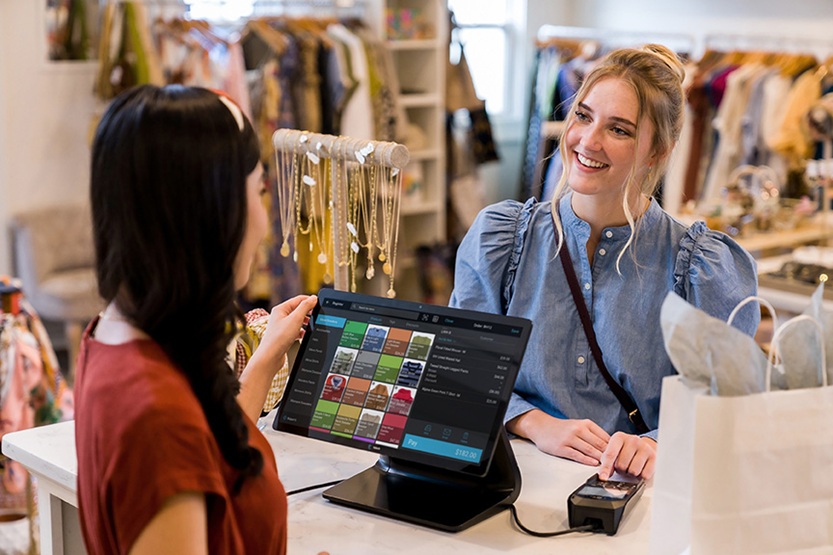
A point-of-sale system is a physical or virtual terminal that allows merchants to accept customer payments for their purchases from either a countertop or a mobile device. It streamlines transactions by providing advanced features to simplify sales and daily operations.
Modern POS systems help business owners handle the difficult parts of running a business. They make managing these challenges easier. A POS system helps merchants focus on what matters most: serving customers and growing their business.
Which types of POS systems are available for your business?
Business owners can choose from several types of POS systems. The type of POS system you choose depends on your business needs. A POS system should meet your business needs and customer expectations.
Each type offers unique benefits and features:
Countertop
As a traditional POS system, a countertop version is ideal for retail stores and restaurants. It typically includes a large touchscreen display, barcode scanner, receipt printer and cash drawer. Tracking inventory, managing staff and accessing customer databases is available with a countertop POS, all from one central location. These systems also provide a stable and secure setup for managing high-volume transactions.
Mobile
For on-the-go or small- to medium-sized businesses, a mobile POS system works well on smartphones or tablets. It gives you the flexibility you need and allows merchants to take payments anywhere—from tableside to delivery services or on the go. Additionally, it can sync data to the cloud in real time.
A mobile POS helps merchants get customers through checkout faster, enhances security and tracks everything from one device. Merchants can accept customer payments with ease, reduce costs and keep their business running smoothly with a mobile POS.
Cloud-based
A cloud-based POS system stores all transactions and business data online in one place. You can gain access from any device with an internet connection. As such, cloud-based POS systems are scalable, consistently updated, and ideal for multiple business locations.
Self-service kiosks
These POS systems are often found in quick-service restaurants or retail environments. Self-service kiosks let customers place and pay for their orders without a staff member. This reduces wait times and improves order accuracy.
Costco Payment Processing offers POS systems tailored to your business needs. Explore your options and choose the right system for you.
What are the key features of a point-of-sale system to consider?
Not all POS systems work the same way. The right one for your business depends on your goals, budget, and daily operations. Before purchasing, take time to evaluate what matters most to your business.
Consider the following factors to ensure your POS system works for you:
Seamless systems integration
Finding a POS system that integrates and supports your current business tools will help you streamline all payment transactions. The payment processor and the POS system will sync data and information automatically. Instead of inputting customers’ card information manually, a POS system allows you to process the payment almost instantaneously.
Inventory management
In addition to not having to input data manually, a POS should also have the capability to track your inventory. This helps you avoid having to count all your inventory items and lets you know when your stock is getting low. Inventory reports are also available. The inventory management feature keeps your shelves and inventory stocked constantly and up to date.
Cost
If you own a small business, cost is a major factor that can affect which type of POS system you choose. Typically, you don’t have to outright purchase a POS system. Most modern POS systems let you subscribe or charge you monthly to rent the system. Look out for other costs, such as maintenance or hidden fees that could pile up before you purchase a POS system.
Usability
A good POS system will be intuitive, easy to set up and user-friendly. The setup process should be straightforward, with minimal downtime and little need for ongoing technical support. Look for a system with a clean, customizable interface, clear menu options, and accessible training or onboarding resources.
Customer support
If you have any questions or need help setting up your POS, customer support should always be available to avoid setbacks. Even if you don’t have issues when you set up your system, it’s always helpful to know that the POS system company can help you either by phone, email, or live chat.
Security
Secure payments are one of the most important features of any POS. All POS systems should be PCI-DSS compliant. Security features like data tokenization and end-to-end encryption help prevent fraud and card data breach events.
Learn more about PCI-DSS compliance and validation on Costco Payment Processing’s security page.
By carefully reviewing these factors, you can choose a POS system that meets your business needs and sets you up for success. Finding a POS system that not only fits your current business operations but also grows with you ensures smooth transactions, satisfied customers and peace of mind.
What payment methods does a modern POS system accept?
Whether a customer pays in-store, online, or on the go, a POS system should be able to handle it all. Every customer has their preferred way to pay. Some still use cards, while others rely on their mobile wallets. A modern POS system allows you to meet those versatile expectations to create a smoother, more satisfying checkout experience.
Modern POS systems can accept all payment methods, including:
Accepting multiple payment types enables your business to accommodate your customers by letting them pay the way they prefer. This not only streamlines checkout, but enhances customer trust, satisfaction and loyalty. A modern POS system ensures every transaction is secure, fast and convenient for everyone.
Why should your business use a POS system?
A POS system does more than accept customer payments. Ultimately, it helps your business run smarter and more efficiently. Here are some of the top benefits of using a POS system:
Cost-effectiveness
Enhanced customer experience
Scalability
Advanced security measures
Flexibility
Benefits of a POS system can give your business the advantage it needs to grow and adapt to the ever-changing business world. See how Costco Payment Processing offers you a POS system that works with you.
How to set up and use a POS system
Setting up a POS system may seem challenging at first. However, your POS system should have a support team that is ready to assist you. Following a structured setup process ensures your system is ready when it’s time to go live.
Here are the general steps to setting up a POS system:
How can Costco Payment Processing help?
Costco Payment Processing offers tailored POS solutions designed to simplify operations and help your business run more smoothly. Whether you need a countertop system, a mobile POS for on-the-go payments, or a cloud-based solution for multi-location management, Costco Payment Processing provides options to fit your business needs.
By partnering with Costco Payment Processing, your business can focus on serving customers and growing.
Start today with Costco Payment Processing and discover the POS system that works best for your business. Explore your options now.
